Create and edit with Nano Banana 2.1. Bring photos to life with realistic detail, clear text, and consistent characters—all in up to 4K resolution.
Realistic Product Photos and Portraits
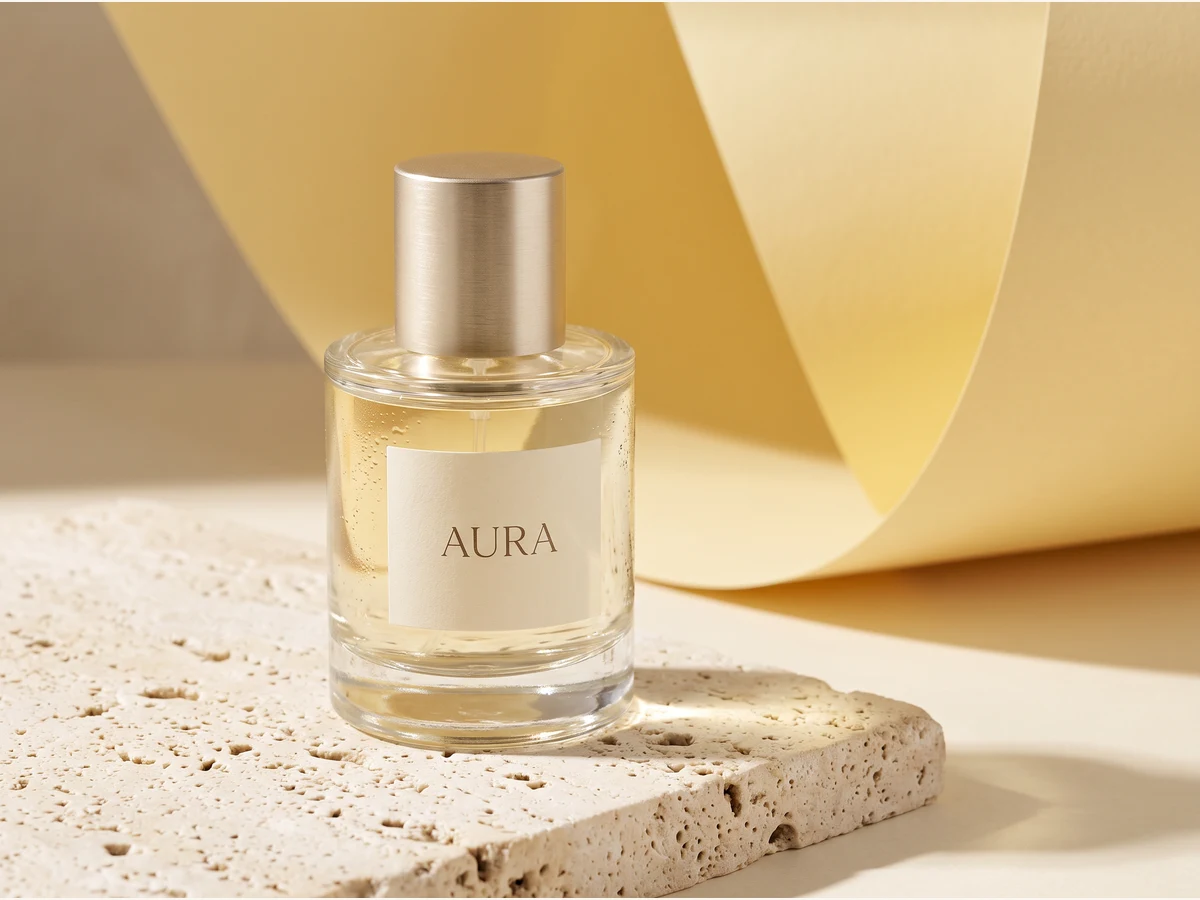
Create product photos, portraits, and everyday scenes with Nano Banana 2.1. Describe your subject, the background, and the lighting you want, or upload a photo to guide the result. For a product image like the one shown here, ask for soft sunlight, visible glass reflections, and a simple background that keeps attention on the bottle. Use this approach to explore images for product pages, social posts, and campaign ideas.
Clear Text for Posters and Ads
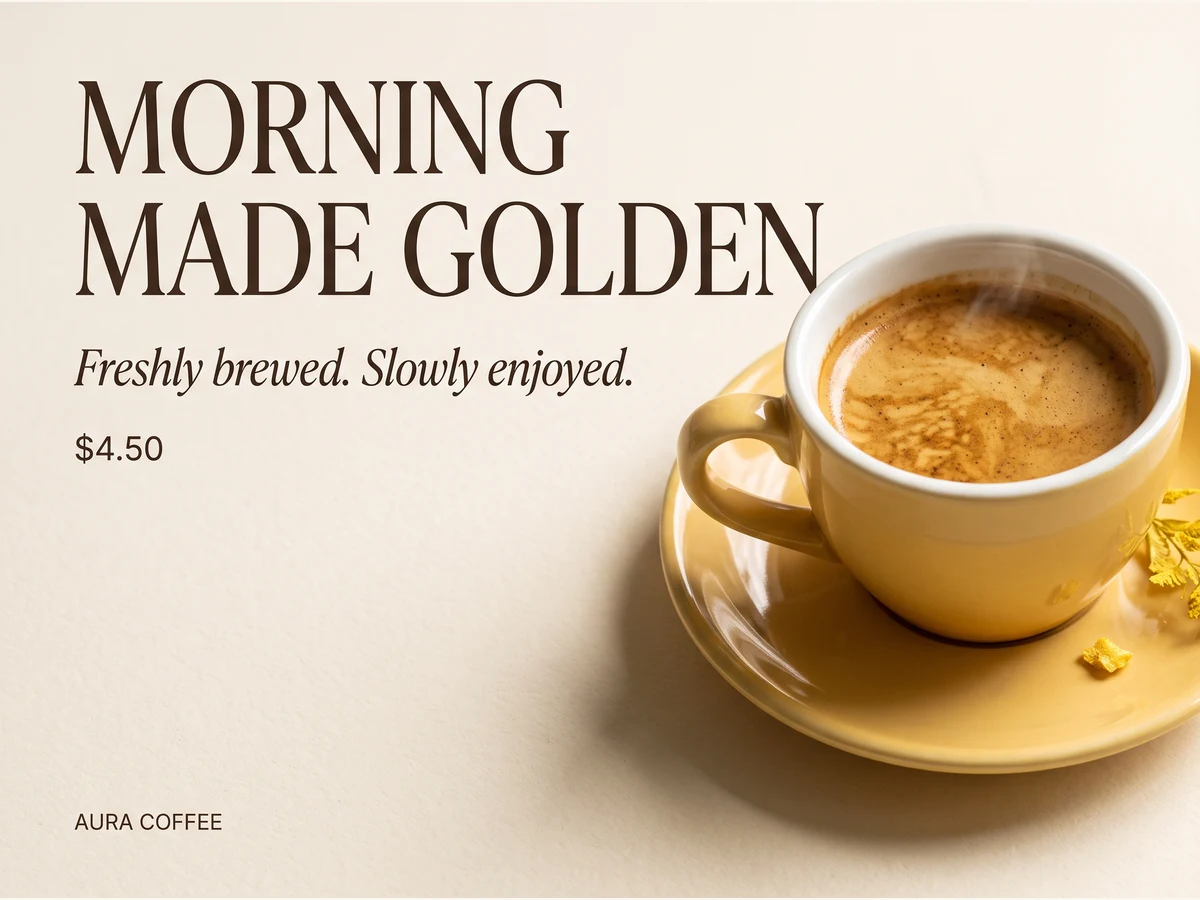
Create a poster that brings your image and message together. Tell Nano Banana 2.1 the exact headline, price, and short description you want to show, then explain where each should appear. For example, place a coffee promotion on the left and a cup of coffee on the right, as in this example. You can also specify colors and a simple type style. Check the wording and numbers in your result before sharing or publishing it.
Keep the Same Character Across Different Scenes
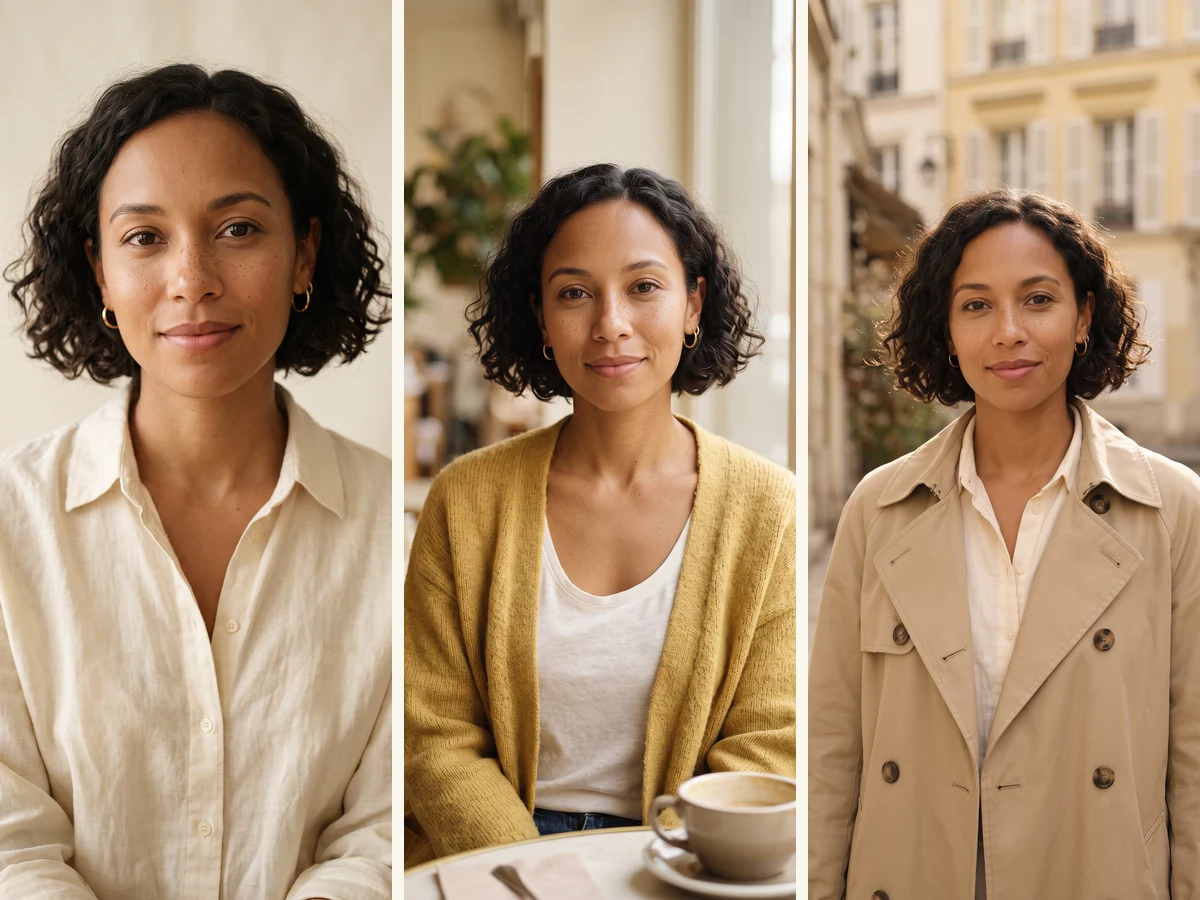
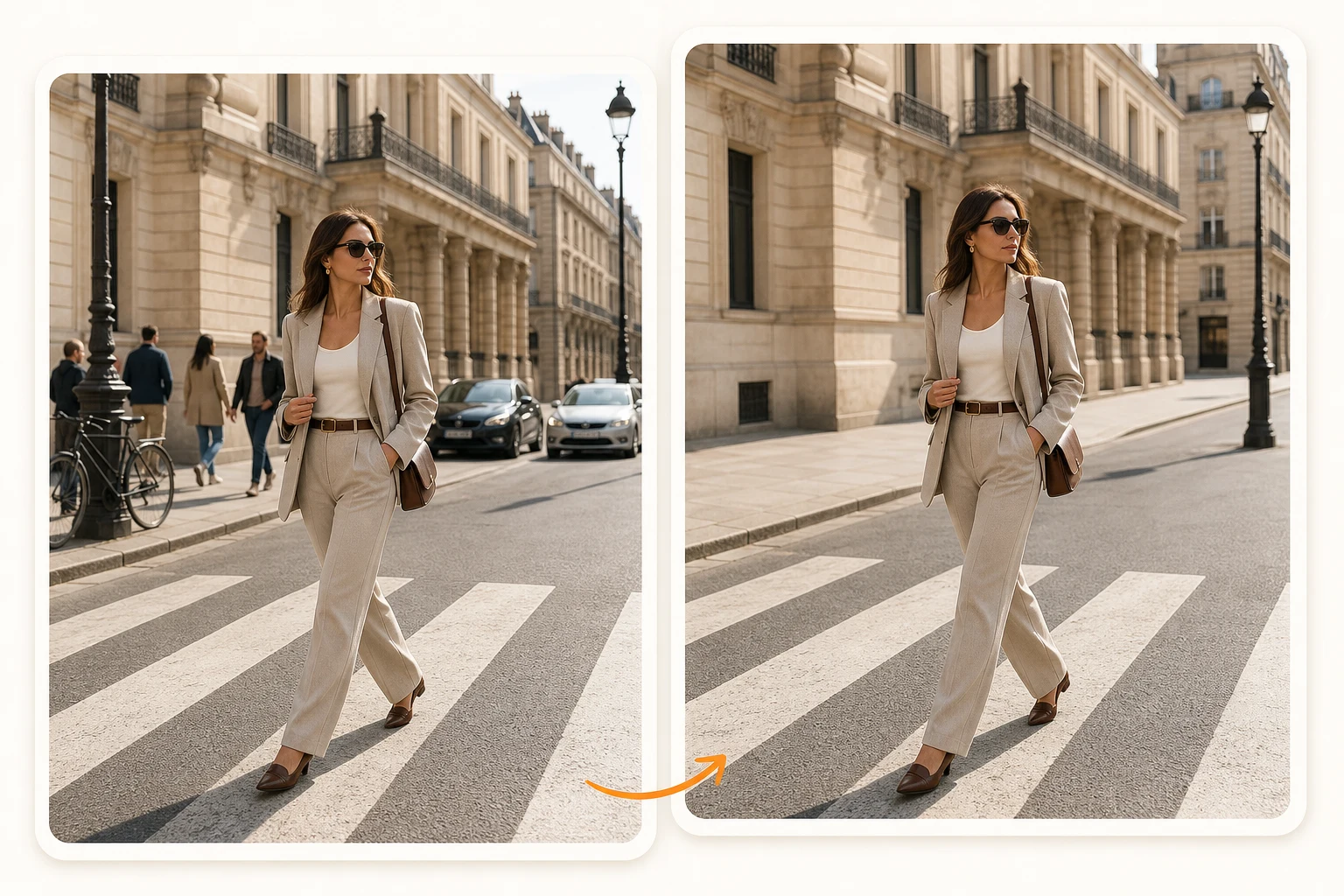
Build a series of images around the same person using a reference photo. Upload the image you want to start from, then describe a new setting or outfit and ask Nano Banana 2.1 to preserve the face, hairstyle, and other recognizable features. This example uses one generated portrait as the reference for a cafe scene and a street scene. It is useful for planning character stories, portrait collections, and coordinated social content. Compare each result with your reference as you go.
Change Colors and Backgrounds with Simple Instructions
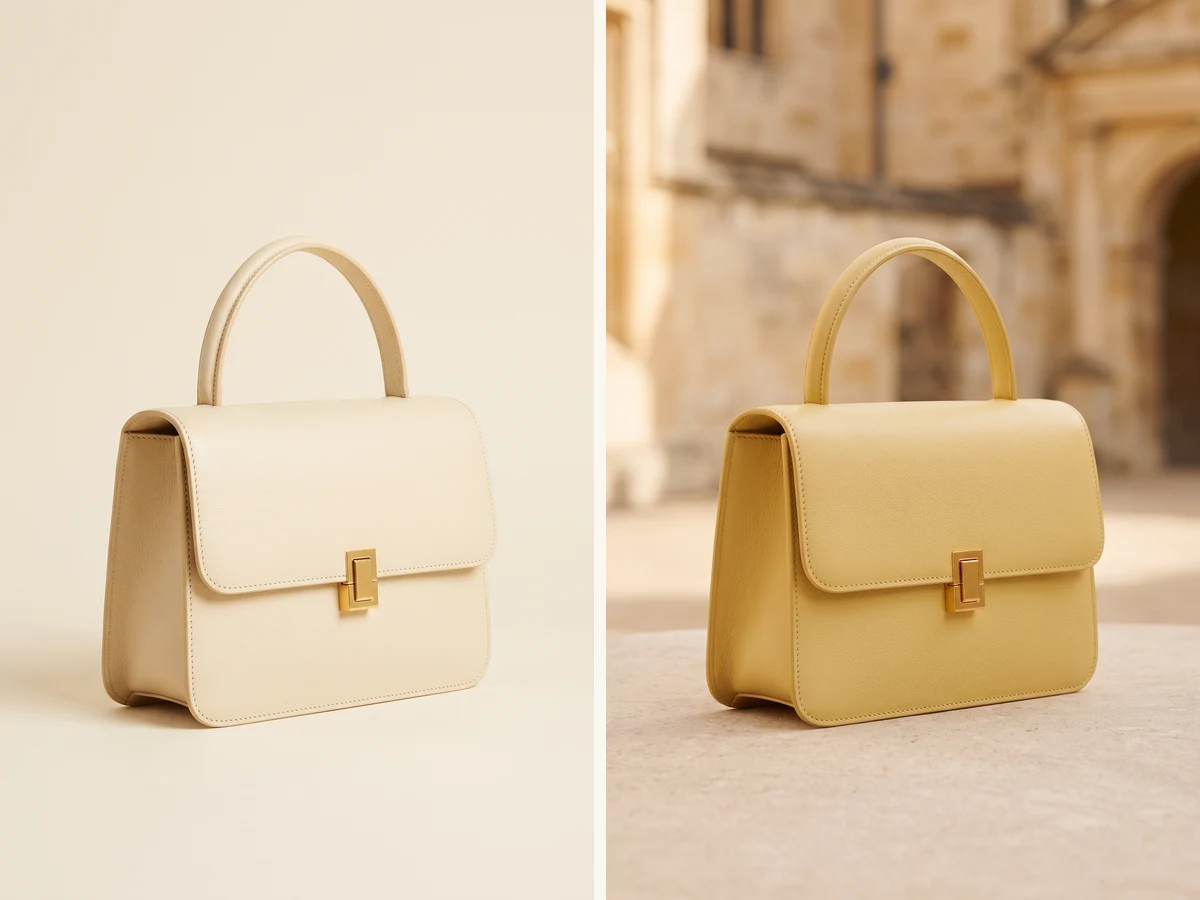
Upload a photo and explain the changes you want in everyday language. You could ask: “Change this bag to yellow and place it in front of a stone building. Keep its shape, handle, and gold clasp.” The comparison shows how a reference photo can guide a new color and setting while retaining recognizable product details. Try different looks for product photos or personal images, and describe what should stay unchanged to make your request more specific.
Create Detailed Images at Up to 4K
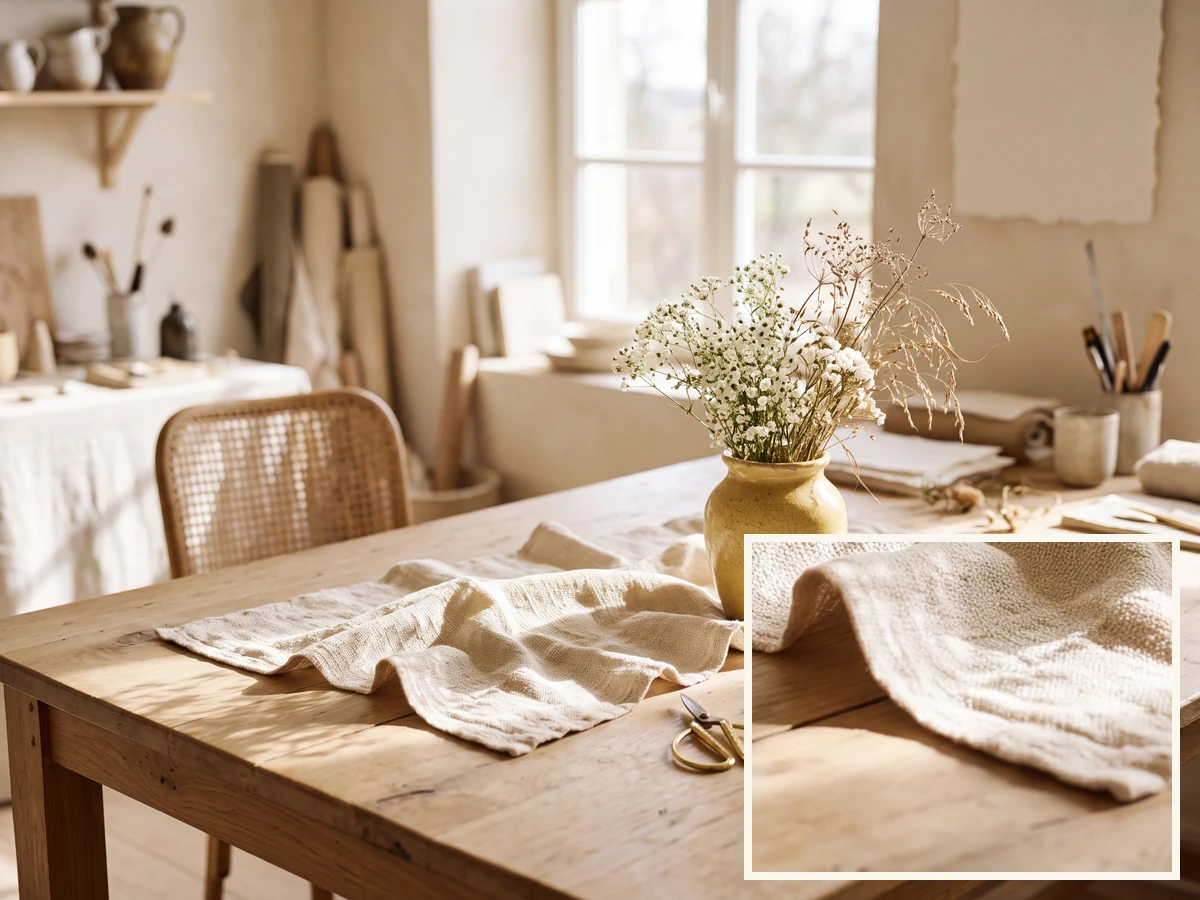
Choose 1K, 2K, or 4K output to suit the image you are making. Smaller sizes work well for exploring ideas, while 4K gives you more pixels to work with when you need a larger image or want to crop part of the scene. The example shows a 4K-generated studio still life with a close-up taken from the original file. Look at the fabric and wood textures to see the detail before choosing the size for your own project.
Why Use Nano Banana 2.1 AI Photo Editor Online Free?
Nano Banana 2.1 combines a free AI photo editor, AI image editor, and AI image generator in one browser-based workspace. Upload a photo and describe your changes, or enter a text prompt to generate a new image—no sign-up required to get started.
AI Photo Editor Online Free
Upload a photo and describe exactly what you want to change. Nano Banana 2.1’s free AI photo editor can remove unwanted objects, replace backgrounds, edit text, change colors and styles, or create new variations. The AI image editor follows your instructions while keeping the important parts of the original image consistent.
Free AI Image Generator from Text
Turn a written prompt into portraits, product images, illustrations, posters, social media graphics, concept art, and more. The AI image generator follows your description of the subject, scene, composition, lighting, style, and visible text.
AI Image Editor with Text Prompts
You do not need complicated editing tools or manual selections. Tell the image editor AI what to add, remove, replace, or restyle. The AI photo editor and AI image editor apply your instructions to the uploaded photo.
AI Photo Editor Free with Standard Processing
Start free without signing in, then continue with available free credits.
Flexible Styles, Aspect Ratios, and Resolution
Create photorealistic images, illustrations, 3D artwork, posters, and product visuals in multiple aspect ratios. The AI photo editor and AI image editor use the settings supported by each model. Free users can create 1K images with the available free model, while users with paid access can use additional models and supported 2K and 4K output.
Enhanced Privacy Protection
Your uploaded photos, prompts, edited images, and generated images are private by default and are not automatically published to a public gallery. Guest requests sent to the AI photo editor are processed temporarily, while signed-in data is retained only as needed for accounts, creation history, subscriptions, and security.
Nano Banana 2.1 FAQ
Learn about image creation, credits, downloads and commercial use.
01
What can I do with Nano Banana 2.1?
Create images from a description or edit a photo you upload. You can make product photos, portraits, posters, and social media images, change backgrounds, or try a new color or style. Describe what you want in everyday language—no photo-editing experience is needed.
02
Which model is available?
Nano Banana 2.1 supports text-to-image generation and reference-photo editing at 1K, 2K and 4K. Only configured models are available in the generator.
03
Can I try it without signing up?
You can generate one image without signing up. Sign in with Google afterward to save your result and generate two more images for free.
04
Can I use Nano Banana 2.1 for free?
You can try one image as a guest, then sign in for two more free images. Free generation uses Nano Banana 2.1 at 1K. After your free allowance, purchase credits or subscribe to continue.
05
How do I get a result closer to my idea?
Describe the subject, background, lighting, and style you want. For example: “A clear perfume bottle on a cream stone table, soft morning sunlight, a simple yellow background.” Add a reference photo if you want to guide the appearance. If the first result is not quite right, make your next instruction more specific about what should change.
06
How do I edit an existing photo?
Upload your photo, then explain what to change and what to keep. For example: “Make this bag yellow and replace the background with a stone building. Keep the shape, handle, and clasp.” Generate the edited version and compare it with your original before downloading. Each new generation uses the credits shown before you submit.
07
Can I create 2K or 4K images?
Yes. Nano Banana 2.1 supports 1K, 2K and 4K. Choose a resolution before generating and check the credits required.
08
How many reference photos can I upload?
With an active subscription or available purchased or redeemed credits, you can use up to five reference photos per generation. Choose clear photos and explain what to preserve or change.
09
Can I keep the same person in different scenes?
Yes. Start with a clear reference portrait, describe the new scene or outfit, and ask to keep the same face and hairstyle. This can help you create a coordinated series, such as the studio, cafe, and street examples above. Small details can still change, so compare each result with the reference.
10
Can I add words and prices to an image?
Yes. Put the exact words in your prompt and explain where they should appear. Short headlines, prices, and brief descriptions work well for posters and product ads. You can also request a color or type style. Check spelling, numbers, and placement before publishing your image.
11
Will my images be public or have a watermark?
Your uploads and generated images are not automatically published in a public gallery. Downloads do not include a visible website watermark. You decide whether to share your images. Images are processed by the selected AI service; see our Privacy Policy for details about how your information is handled.
12
Can I use my images for business?
Images made with free-only access are for personal, non-commercial use. Images generated while you have an active subscription or available purchased or redeemed credits include commercial-use rights under our terms. Those rights remain after your plan expires. Make sure you have permission to use any photos, logos, or other material you provide.
Use Nano Banana 2.1 AI Photo Editor Free
Upload a photo and describe what you want to change with the free AI photo editor, or turn a text prompt into a completely new image with the AI image generator. Start creating online for free—no sign-up required.