

OPENAI · A NEW CHAPTER IN IMAGE CREATION

GPT Image 2.5

Imagine freely. Refine precisely.

Turn a product photo into a campaign, a rough sketch into a scene, or a portrait into a new look. GPT Image 2.5 brings generation and reference editing into one workspace. Describe what you want to change, keep the details that matter, and build on your favorite result.

Start free without signing in · Sign in to keep creating

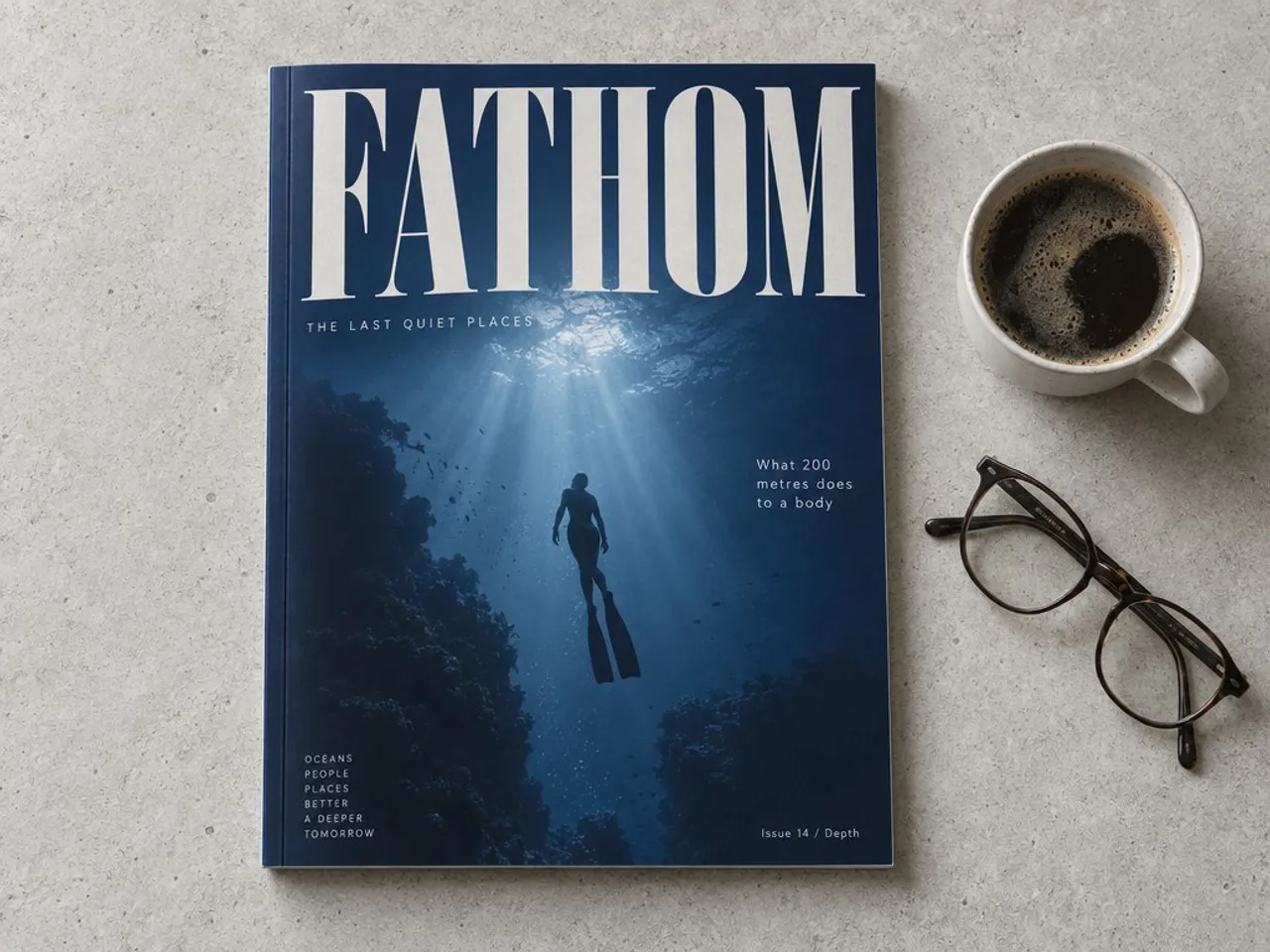
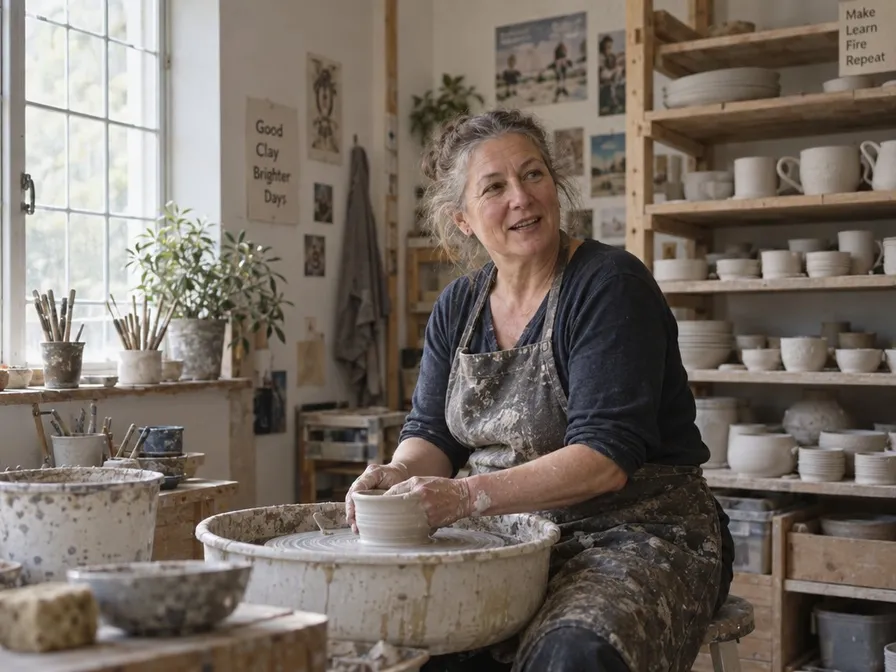
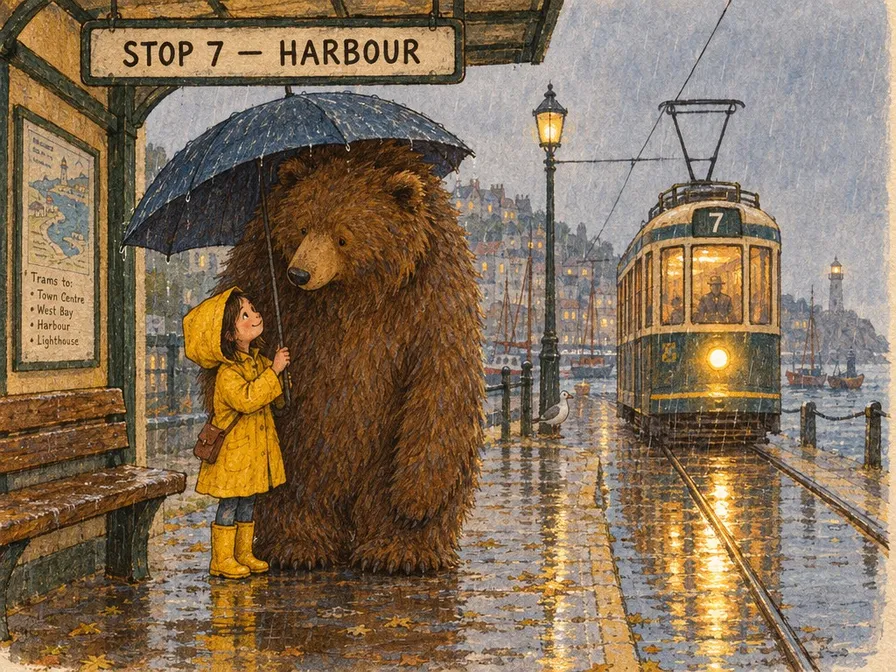
A FATHOM magazine cover with underwater photography and carefully arranged typographyA ceramicist working in a sunlit pottery studioStorybook illustration of a girl and a bear sharing an umbrella
4K
Maximum output long edge
5 images
Reference limit for paid users
7 formats
Aspect ratios
2 versions
Flare and Sunburst

Create with GPT Image 2.5

Start free without signing in · Sign in to keep creating

Preparing your generation settings…

SEE THE POSSIBILITIES

What will you make with GPT Image 2.5?

Compare the references and results, then inspect the prompt actually published with each image. These six examples cover sketches, local edits, composition, lighting, portraits and nature. Select an image to open it in full.

Sketch reference
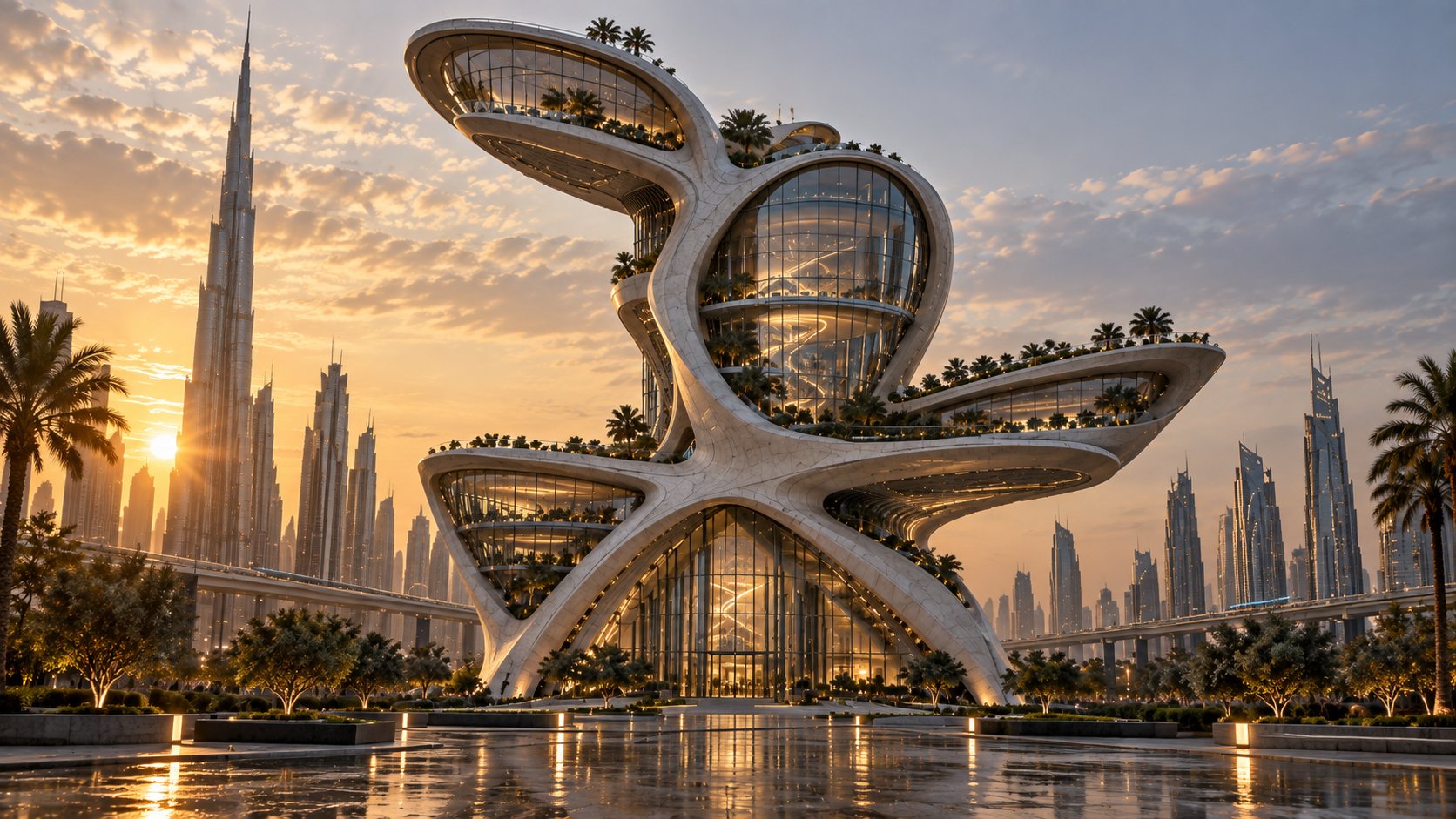
Red outline sketch and a curved glass building at sunset — Sketch reference
Generated result
Red outline sketch and a curved glass building at sunset — Generated result

Sketch to architecture

A few lines become a future building.

The red doodle is the creator’s actual reference; the building is the reported output. Compare its silhouette with the curved glass volumes and elevated terraces. This pair shows sketch-led architecture, rather than an unrelated finished building.

See this image’s prompt
Original / reference
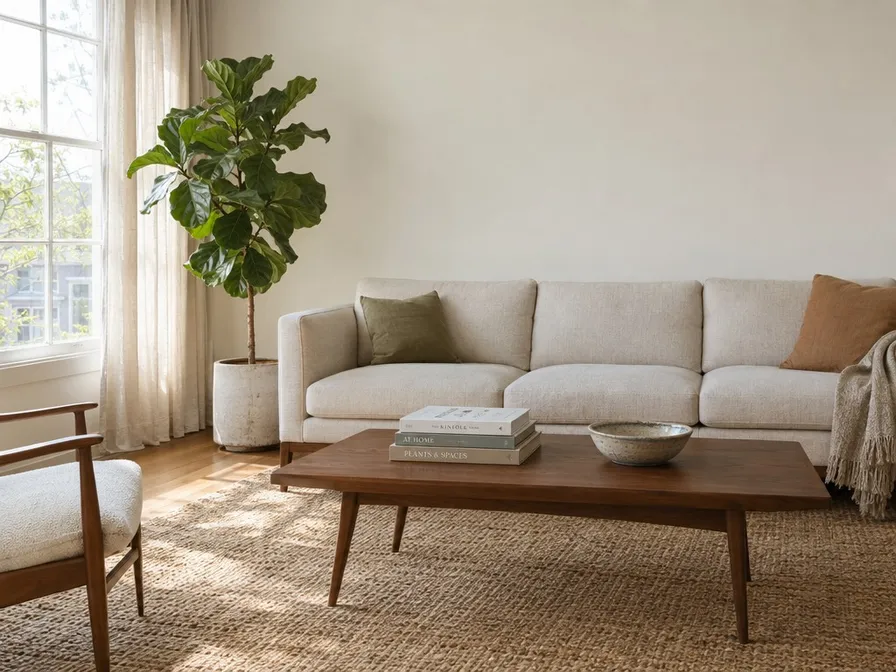
Living room before and after the sofa changes to green velvet — Original / reference
Generated result
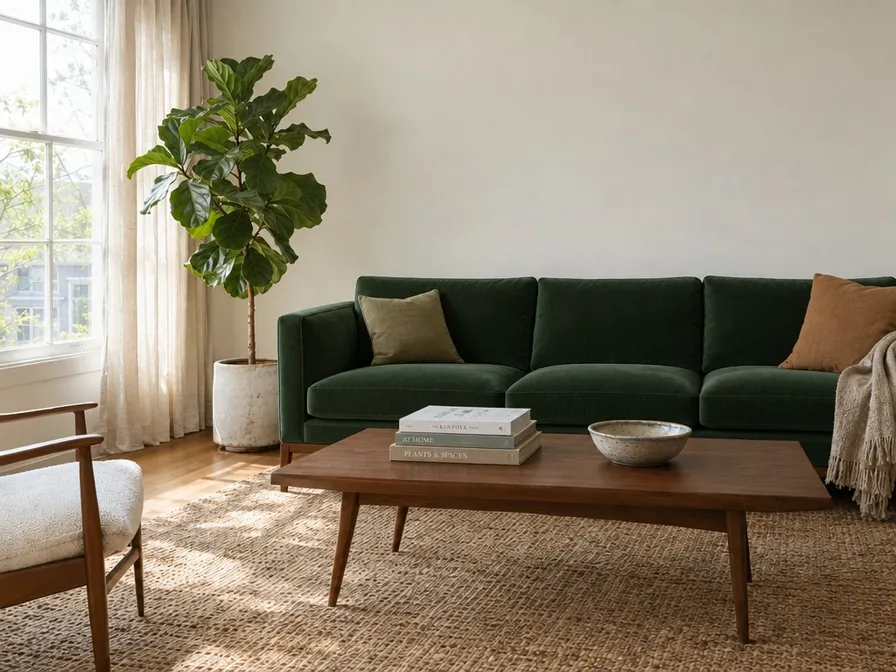
Living room before and after the sofa changes to green velvet — Generated result

Interior editing

Same room. A different sofa fabric.

Compare the pale sofa with the forest-green velvet edit, checking the furniture, framing and light. This is the first pass in the editing sequence below. The published instruction asks for new upholstery, without adding decorations.

See this image’s prompt
Original / reference
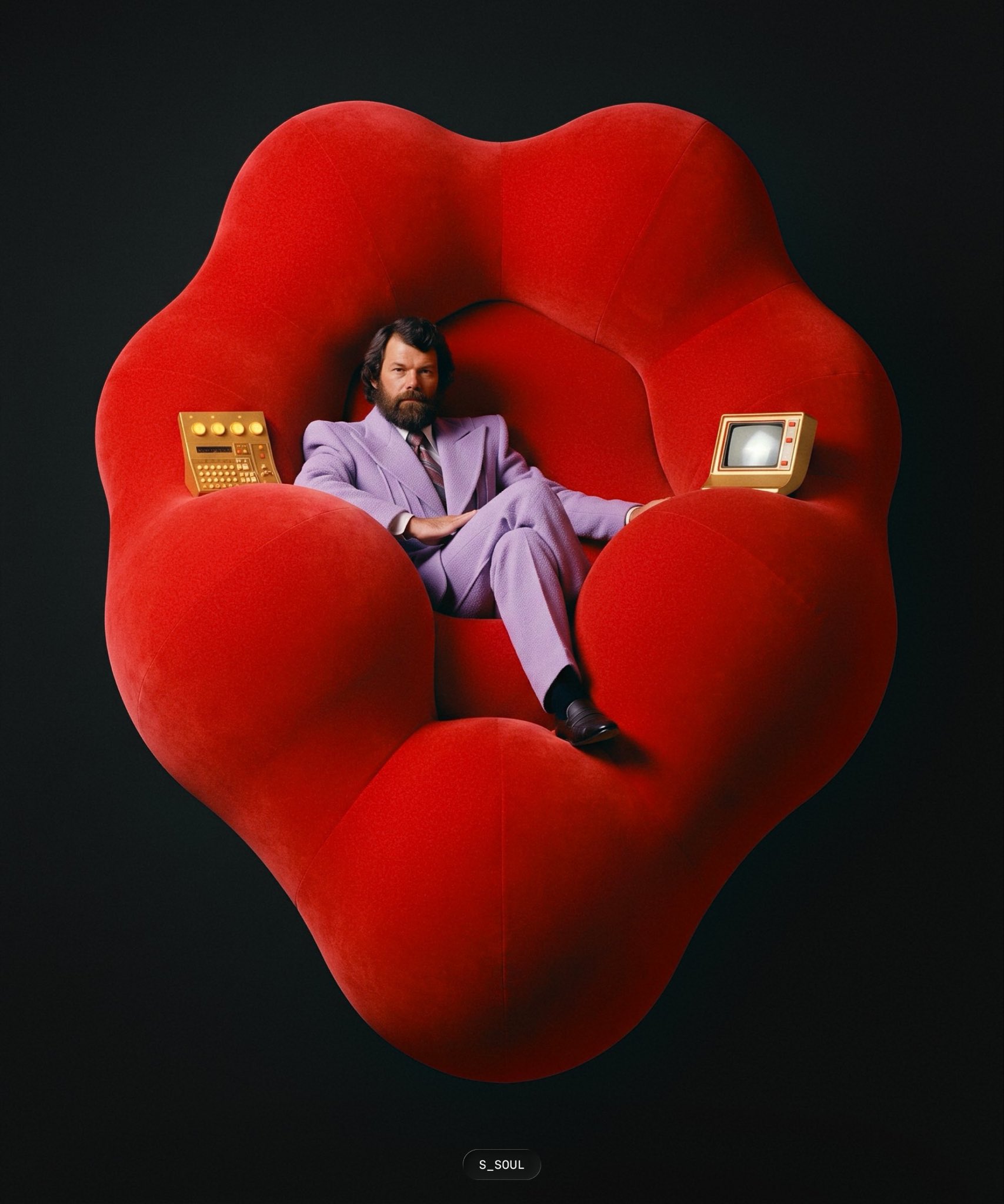
Original red-seat portrait, reclining sketch and recomposed result — Original / reference
Sketch reference
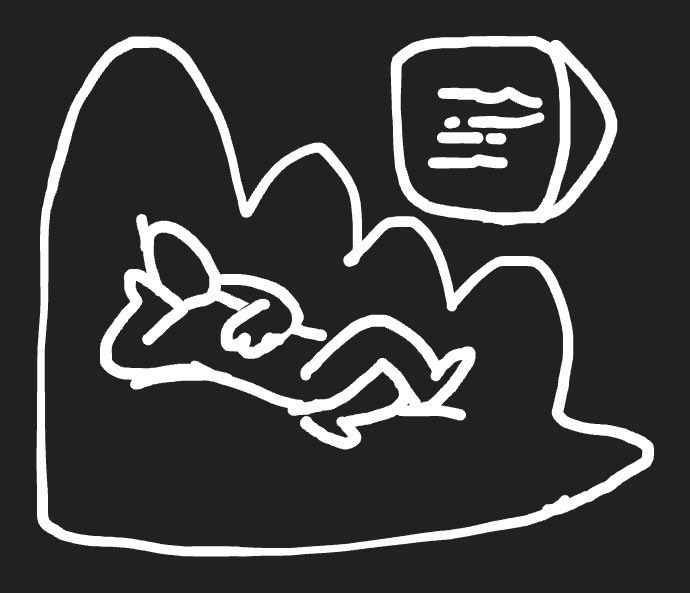
Original red-seat portrait, reclining sketch and recomposed result — Sketch reference
Generated result
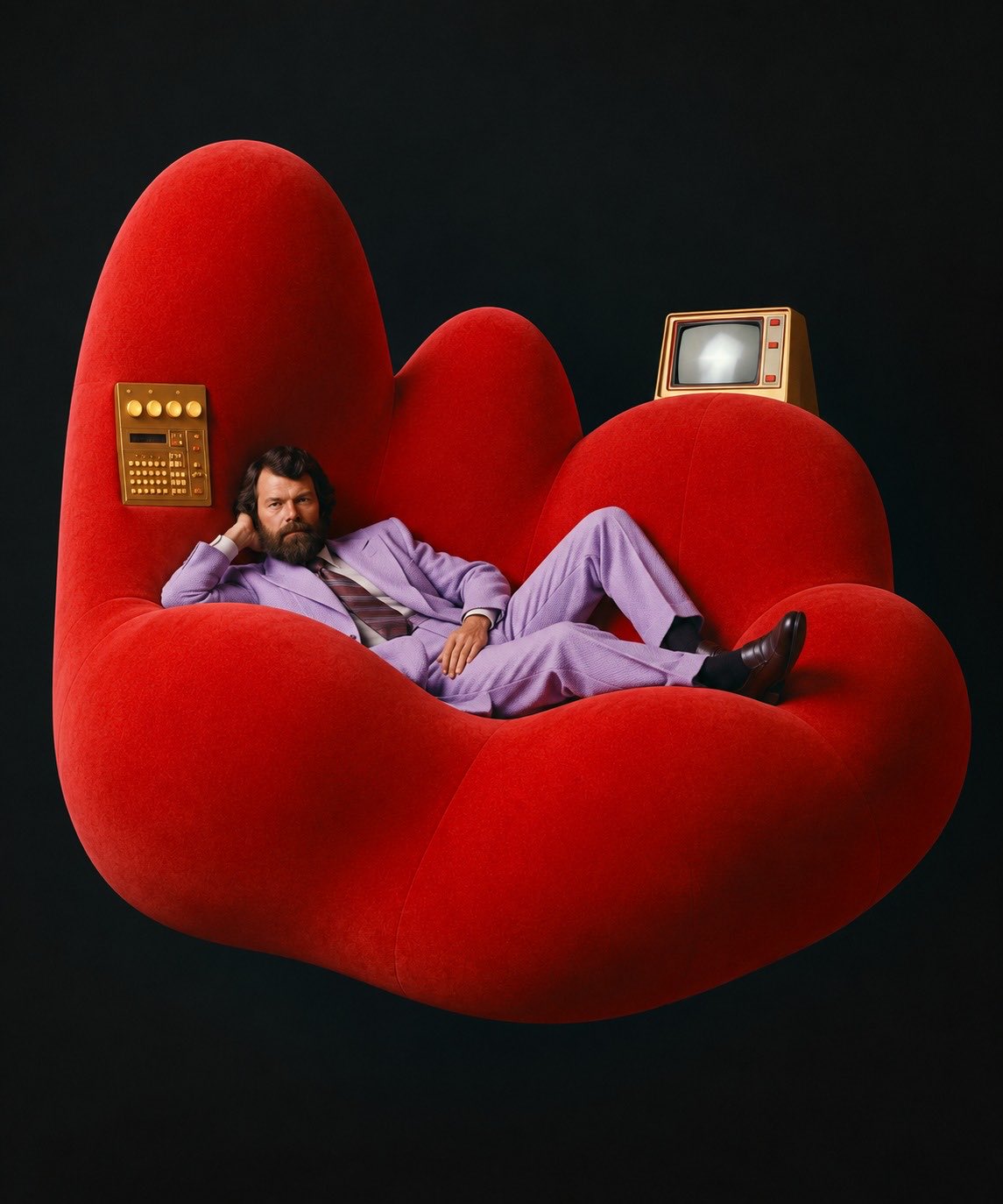
Original red-seat portrait, reclining sketch and recomposed result — Generated result

Composition from a sketch

Draw the pose you have in mind.

This edit uses two references: the original supplies the figure, purple suit and red seat; the white-line sketch supplies the reclining pose and composition. The result sits below both. Upload both references when adapting this prompt.

See this image’s prompt
Creator’s full comparison
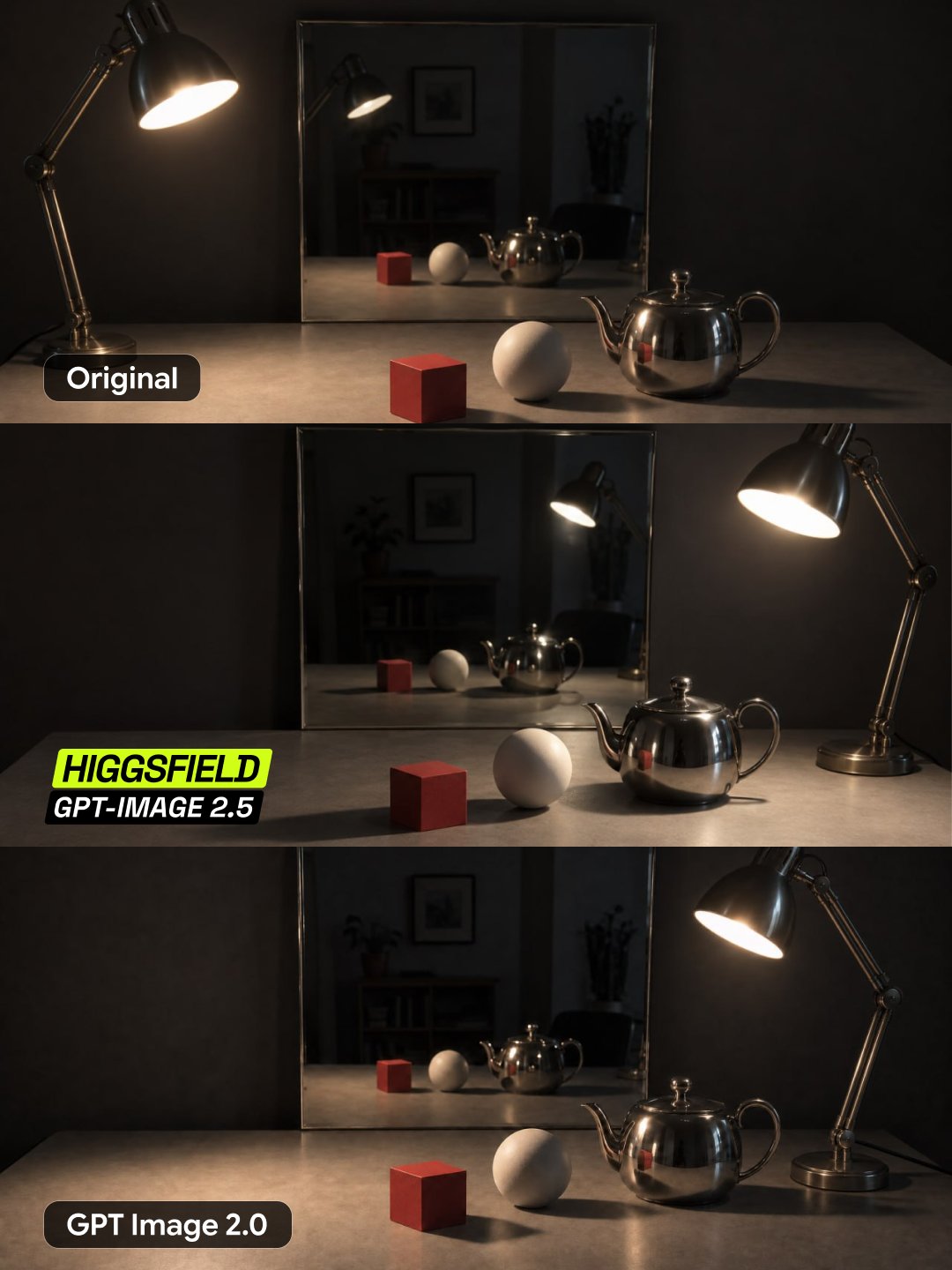
Original, GPT Image 2.5 and GPT Image 2.0 lamp-movement comparison — Creator’s full comparison

Objects and lighting

Move the lamp. Inspect the light.

The creator’s full comparison runs from the original at the top to GPT Image 2.5 in the middle and GPT Image 2.0 below. Look at the tabletop shadows, metal reflections and mirror after the lamp moves right. Original labels are retained; this is a creator example, not a Nano Banana 2.1 benchmark.

See this image’s prompt
Generated result
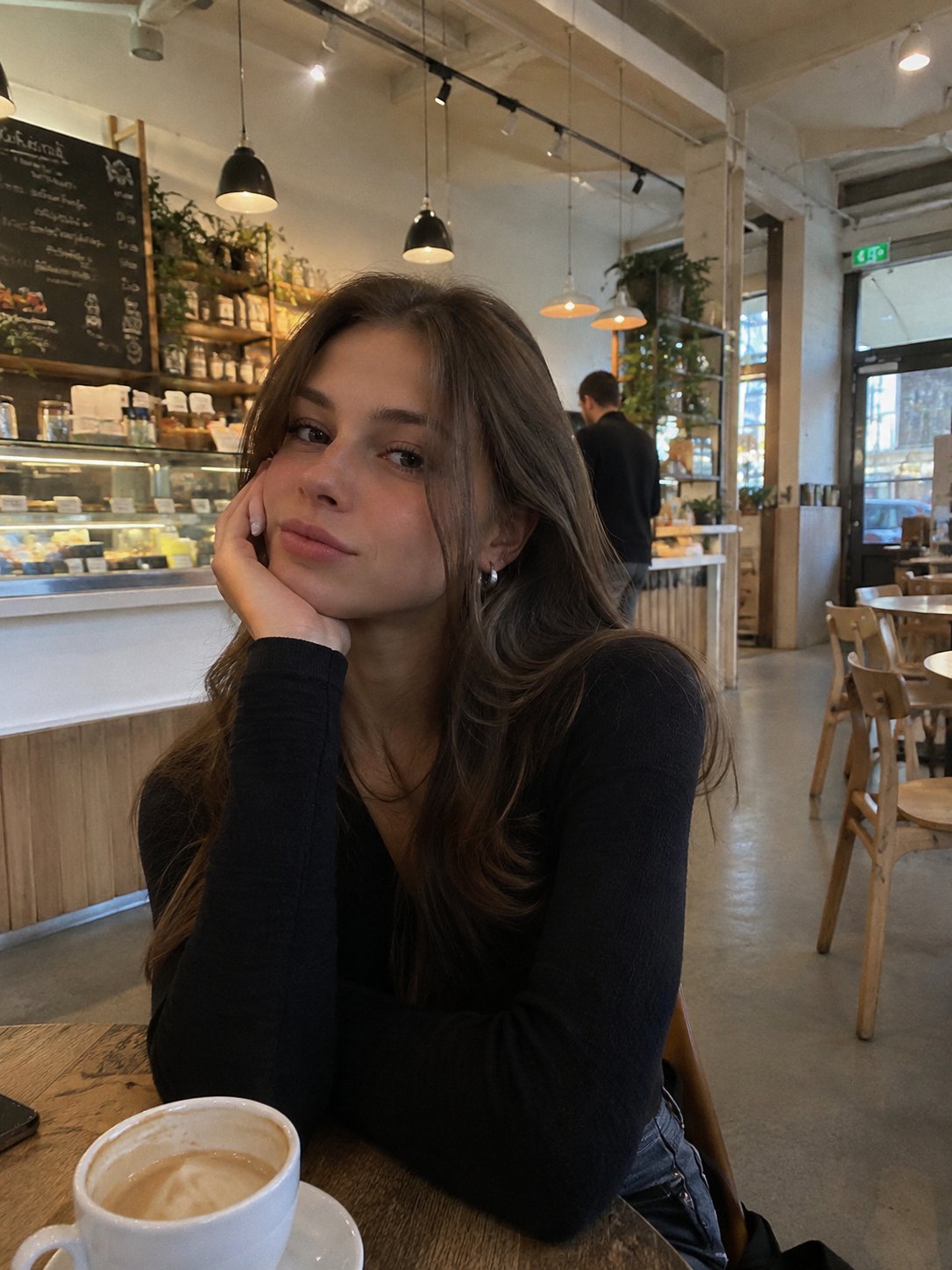
Woman resting her cheek on her hand at a cafe table — Generated result

Everyday portraits

A casual phone photo in a cafe.

The image accompanies a short request for a realistic iPhone photo of a woman in a cafe. The coffee, counter and ordinary indoor lighting match that brief. This is a text-to-image example, without a supplied portrait or an identity-preservation comparison.

See this image’s prompt
Generated result
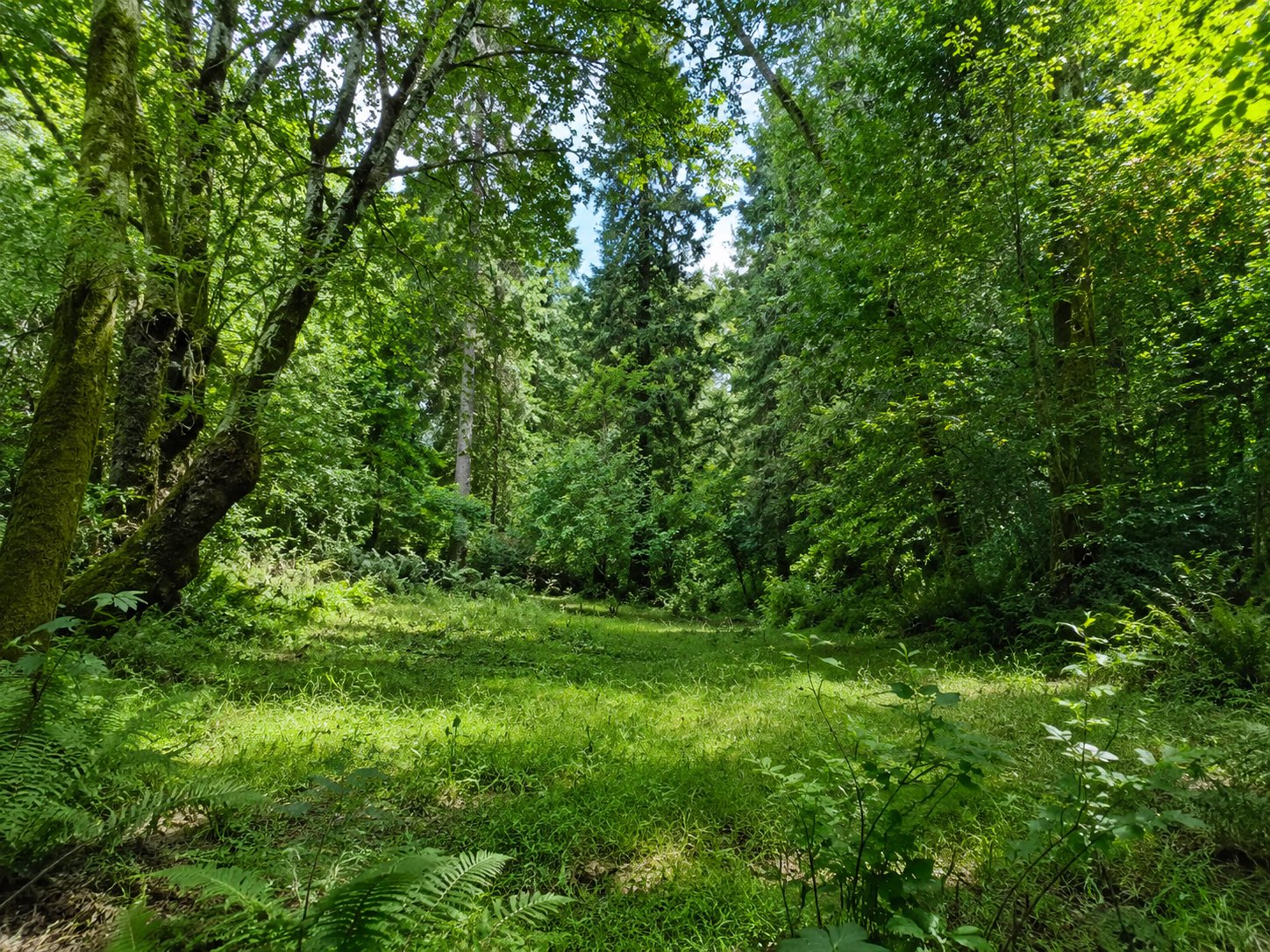
Sunlit clearing surrounded by dense green woodland — Generated result

Natural scenes

A short brief, a detailed woodland.

The published prompt asks for a clearing, plentiful green foliage and detail. The result centers on the canopy, undergrowth and light entering the woods. Enlarge it to inspect textures and noise for yourself.

See this image’s prompt

ONE SCENE. FOUR DECISIONS.

Change your mind. Keep your composition.

The useful question is often “can I change this without losing that?” With GPT Image 2.5, separate your brief into the change you want and the details you want to preserve. Start with the room, change the upholstery, add artwork, then adjust the mood. Each revision becomes a clear decision you can compare with the version before it.

Living room with a cream sofa and an empty wall

A neutral sofa in a sunlit room.

To try this with your own image, upload it above, name one change, and use “Continue editing” on the result. Keep the best version as your next reference. Compare window geometry, furniture placement and earlier edits after each step; preservation is a goal to check, not a pixel-perfect guarantee.

GPT Image 2.5: Flare or Sunburst?

Choose around the work in front of you. Both GPT Image 2.5 versions accept text and reference images, and both can continue an edit. Flare is the starting point for exploring a direction; Sunburst is an option when a demanding composition deserves a closer pass. Try the same brief and references when comparing them.

FOR EXPLORING IDEAS

Flare

Start here for social posts, everyday product images, mood exploration and early drafts. Make one useful variation, inspect it, and decide what to change next. A clear brief at standard quality is a practical way to test your composition before spending more credits on a larger or higher-quality output. Generation time varies with your settings and the current queue.

  • Social posts
  • Concept exploration
  • Everyday edits

FOR THE FINISHING TOUCHES

Sunburst

Try this for a campaign hero, a detailed product arrangement or a revision where several visual constraints need to hold together. Describe the exact material, perspective and preserved elements you care about. Allow more time for the result, then compare it with your reference at full size. Extra precision is useful when it improves a detail that matters to your final image.

  • Campaign visuals
  • Product details
  • Precise revisions
Create and edit
Text to image, reference editing and continued edits from your result
Reference images
Up to 5 per generation for paid users
Quality
Standard, medium or high, with credits shown before submission
Output
Download PNG images and revisit them in your generation history

Dimensions depend on aspect ratio, up to 8.3 megapixels. The 16:9 and 9:16 formats support a 3840-pixel long edge.

GPT Image 2.5 prompts, with the images they produced

Each image is paired with its published English prompt. Copy keeps the original wording. Editing examples also need the corresponding reference images; your own inputs will lead to different results.

Red outline sketch and a curved glass building at sunset

Sketch to architecture

Original prompt · Editing example: upload the corresponding reference images shown above.

turn it into a future building

Living room before and after the sofa changes to green velvet

Interior editing

Original prompt · Editing example: upload the corresponding reference images shown above.

Reupholster the sofa in a deep forest green velvet. Change nothing else in the room.

Original red-seat portrait, reclining sketch and recomposed result

Composition from a sketch

Original prompt · Editing example: upload the corresponding reference images shown above.

change the composition to this

Original, GPT Image 2.5 and GPT Image 2.0 lamp-movement comparison

Objects and lighting

Original prompt · Editing example: upload the corresponding reference images shown above.

Move the lamp to the right

Woman resting her cheek on her hand at a cafe table

Everyday portraits

Original prompt · Text to image; no reference required.

make me a realistic iphone photo of a woman in a cafe

Sunlit clearing surrounded by dense green woodland

Natural scenes

Original prompt · Text to image; no reference required.

Photo of a clearing in the woods with lots of green foliage, highly detailed

GPT Image 2.5: common questions

What can I make with it?

Create product images, posters, portraits and illustrations, or edit photos you already have.

Do I need to know how to write prompts?

No. Describe the change in everyday language and say what should stay the same.

Can I try it for free?

Yes. Start free without signing in, then continue with available free credits. Free generations use Flare at 1K Standard with one reference image.

How are models billed?

Costs vary by model, resolution and quality. With paid access, you can see the exact cost before generating.

Should I start with Flare or Sunburst?

Start with Flare for the free experience. Sunburst requires paid access.

How many reference images can I upload?

Guest and free-credit generations support 1 reference image. Paid access supports up to 5 where the selected model allows it.

Can I make higher-resolution images?

Yes. Supported 2K or 4K settings require paid access and general credits.

Can I edit and download the result?

Yes. You can download the guest result. Sign in after the successful first image to link and save it to your account.

Your next idea deserves a first image.

Bring a photo, a sketch or a few clear sentences to GPT Image 2.5. Choose a direction, create a first version and refine the details that make it yours. Your next campaign, portrait or visual story can start right here.

Create with GPT Image 2.5